Powerpoint is dead.
At least many people wish it were so. Years of powerpoint presentations have rendered the program stale to say the least. By the time they graduate, students have been using it over and over again for the greater part of a decade.
For most, it is the only presentation tool that is used, apart from the occasional poster or the increasingly extinct diorama.
The answer is in the cloud. Below are 5 of my favourite presentation alternates. All of these services are free and, better yet, web-based. Everything is stored online, freeing up your network space at school and allowing you to work on it anywhere.
Better yet, you have the ability to share these presentations. Not just with your class or colleagues, but with a global audience. Students can also use these to share their learning with parents, classmates and teachers to receive feedback.
In no particular order, here they are:
Prezi - the zooming editor
Prezentit - easy slideshow creator
Sliderocket - slideshow creator with some unique features
Glogster - interactive poster creator
Xtranormal - text to movie creator
These are just the tip of the iceberg in terms of online presentation tools. More to follow in future posts. Go through the Prezi below to learn more. Click here if the presentation does not load.

Thursday, October 21, 2010


Monday, October 11, 2010
Time Management
"Time is what we want most, but what we use worst."
- William Penn
- William Penn
Time management can be an asset to both teachers and students. Teachers need to keep track of the time during lessons, while students will benefit from building their time management skills. To help with this, try out this handy website: Online-stopwatch.

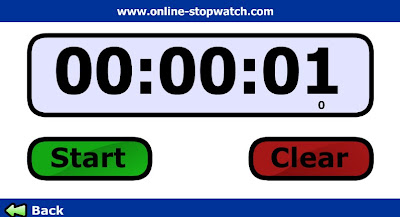
Online-stopwatch is exactly what it sounds like - an online stopwatch. You have the option of counting up or down, as well as using the timer in a full-screen mode. It is very simple to use and beeps when the time has elapsed. Click here to try it out!
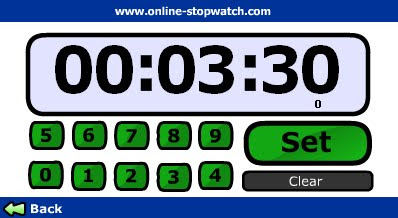
I always found it helpful to have a timer running in my classroom, especially when students were given a certain amount of time to work on their own or with partners. Having a visual for transitioning between subjects has proven to be very beneficial for students and it doesn't hurt the teacher either!
Smart Notebook also has a variety of timers in the Gallery which function identically to this one. They work just fine as long as you don't need to use your computer for anything. Once you switch slides or open another program, the Notebook timers stop. Online-stopwatch will work in the background, freeing you up to use your computer or Smartboard for other purposes.
Monday, October 4, 2010
Zip it Up!
Ever gotten tired of adding one picture at a time to an email or uploading individual files to a website? Then this post is for you.
Zipping files is a simple trick that has been around forever. Originally designed to compress files and make them smaller (which you still can do), zipping is more frequently used to combine multiple files into a single file.
This trick can save you plenty of time when you have to have to send or upload many files at once and it is very easy to do. Keep in mind that by combining a number of files, your overall file size can get very large. Here is a video on how to resize your pictures, making them small enough to email as well as add into a zip file with other files that are similar in size.
Below is a video showing you how to zip your files and then upload them into Moodle:
Zipping files is a simple trick that has been around forever. Originally designed to compress files and make them smaller (which you still can do), zipping is more frequently used to combine multiple files into a single file.
This trick can save you plenty of time when you have to have to send or upload many files at once and it is very easy to do. Keep in mind that by combining a number of files, your overall file size can get very large. Here is a video on how to resize your pictures, making them small enough to email as well as add into a zip file with other files that are similar in size.
Below is a video showing you how to zip your files and then upload them into Moodle:
Sunday, September 26, 2010
Digital Citizenship: Whose Responsibility is it?
Don't complain if you're not prepared to do anything about it.
- Andy Cunningham
- Andy Cunningham
However uncommon it is to quote oneself when writing, it certainly fits into the topic of today's blog post. These are the words I uttered to my dad after listening to him whine and complain about his telephone issues (who still has a land-line anyway?) for a couple of days while refusing to try and figure out what the problem was. Einstein's definition of insanity may have been another applicable quote.
At the end of last week I attended a Digital Citizenship Symposium that was put on by the CRCPD in Calgary. This symposium brought together educators from around the province to discuss issues of digital citizenship and the role the education system has in teaching our students how to become digital citizens. In fact, many conversations revolved around removing the word "digital" from the conversation, arguing that simply being a citizen in today's world involves understanding issues of internet privacy, safety, cyberbullying, copyright, and cyber commerce. A teacher librarian created 2 word clouds from wikipedia definitions to compare digital citizenship to citizenship. Below are the 2 word clouds:

You can see there are many similarities, most notably the words citizen, community and participation. There are many other words in the areas of education, information, and democracy.
As fans of technology, everyone at the symposium would argue for increased technology use in the classroom. However, there is also the understanding that many teachers are reluctant to utilize technology and the Internet for fear of jeopardizing the safety of their students. While many of these fears are certainly real, they have been largely over-blown and sensationalized by national and international media.
While there are no definite answers, there seemed to be a growing consensus that the opportunity for educating students to be safe falls within the realm of education. As such, the first steps need to be educating all stakeholders - students, parents and teachers - about the actual risks, what to watch out for, as well as safe online habits.
What do you think? Whose responsibility is it?
In the coming weeks, I will be delving deeper into the topic of digital citizenship in greater detail. Until then, here are some more resources to build your understanding of digital citizenship:
CBE's Digital Citizenship Page
Mr. Young's Bouncy A - Internet Safety Videos
Managing your "Digital Tattoo"
Monday, August 30, 2010
Welcome Back!
"Up your nose with a rubber hose!"
- Vinnie Barbarino
Sorry. I couldn't find any inspirational words from Mr. Kotter. I hope everyone had a chance to relax and unplug over the summer. You never really realize how dependent on the Internet you've become until you are in the middle of nowhere with no service for an extended period of time. It was hard to shake the IAD (Internet Anxiety Disorder) although it was nice to re-connect with the sunshine once again.
Hopefully some of you had a chance to try out some of the many sites mentioned previously in Techronicity and begin building your PLN (Personal Learning Network) over the summer. If not, now is an especially great time to do so since it could save you hours of time in the future. Grasslands Public Schools is now on Twitter, under the username @GPS6. Grasslands is hoping to use Twitter as an effective messaging system to communicate important messages (such as school closures) with students and parents. Encourage parents to follow Grasslands!
Here is a sneek-peek at what is down the pipeline for Techronicity this year:
Web 2.0 Tools for Teachers
Smartboard Tips
I'll leave you with some motivational pictures:


Subscribe to:
Posts (Atom)